
My Avatars
Create and manage custom avatars tailored to your brand
My Avatars allow you to create and manage custom avatars tailored specifically to your brand identity. Instead of using prebuilt visuals, you can upload high-quality photos to generate personalized, lifelike digital avatars representing your team members, brand ambassadors, or unique characters.
These avatars can be paired with your own cloned or AI-generated voice for complete customization—ensuring the avatar looks, speaks, and behaves exactly as your brand requires. This feature gives you full creative control and ownership over your virtual representatives.
Key Highlights
- • Create avatars using your own visuals for a completely branded look
- • Use voice cloning or custom voice assignment for realistic, multi-language interactions
- • Manage and update your library of uploaded avatars under one interface
- • Perfect for personalized marketing, customer support, and internal communication scenarios
- • Fully integrated with Brain, Knowledge Base, and Integration modules for advanced capabilities
Example Workflow
- Navigate to the Avatar tab and select My Avatars.
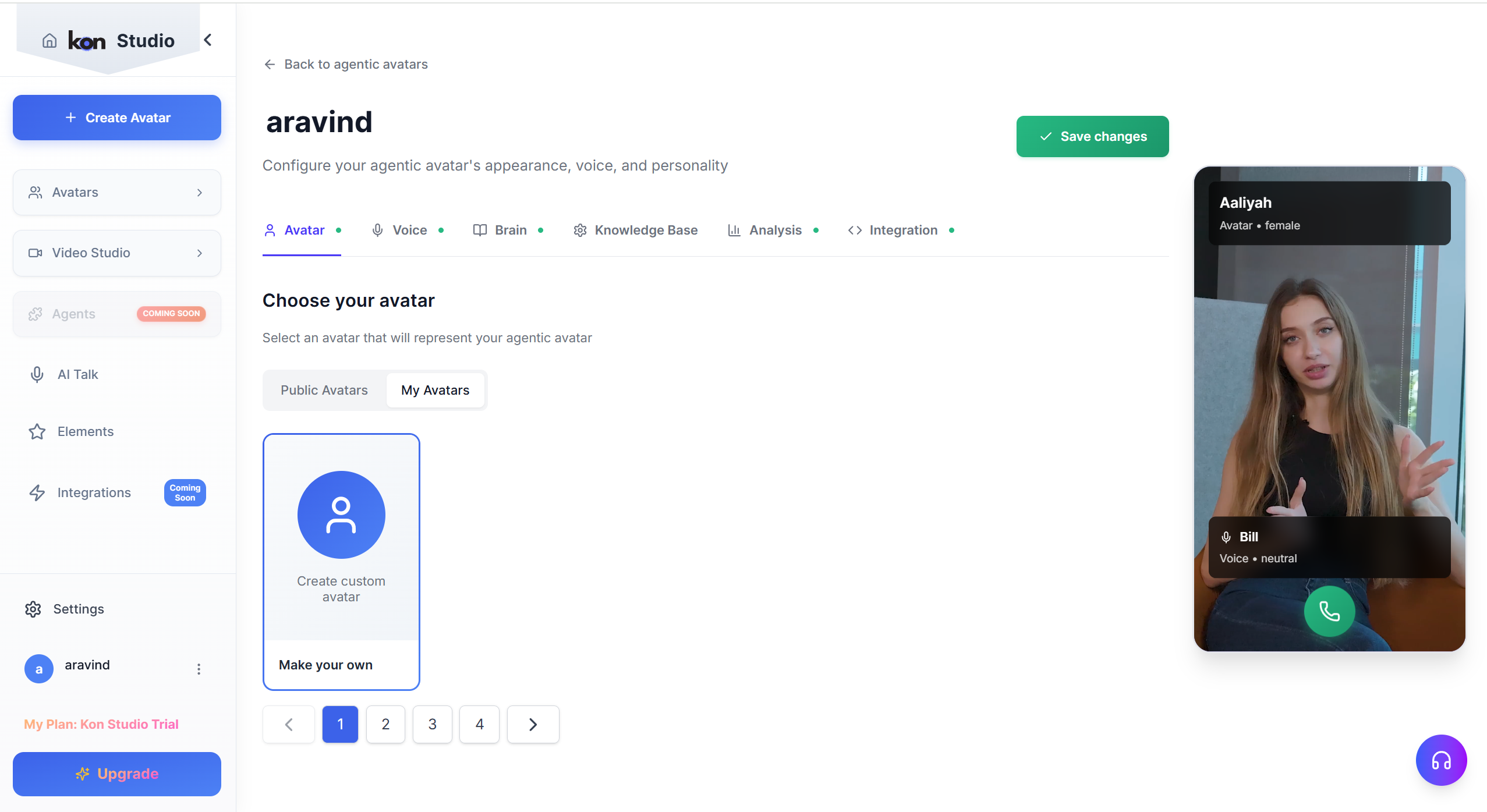
- Click Create Custom Avatar or Make your own.
- Upload a high-quality photo following the platform’s requirements (e.g., clear, front-facing image).
- Once processed, assign your own cloned voice.
- Go to the My Voices tab.
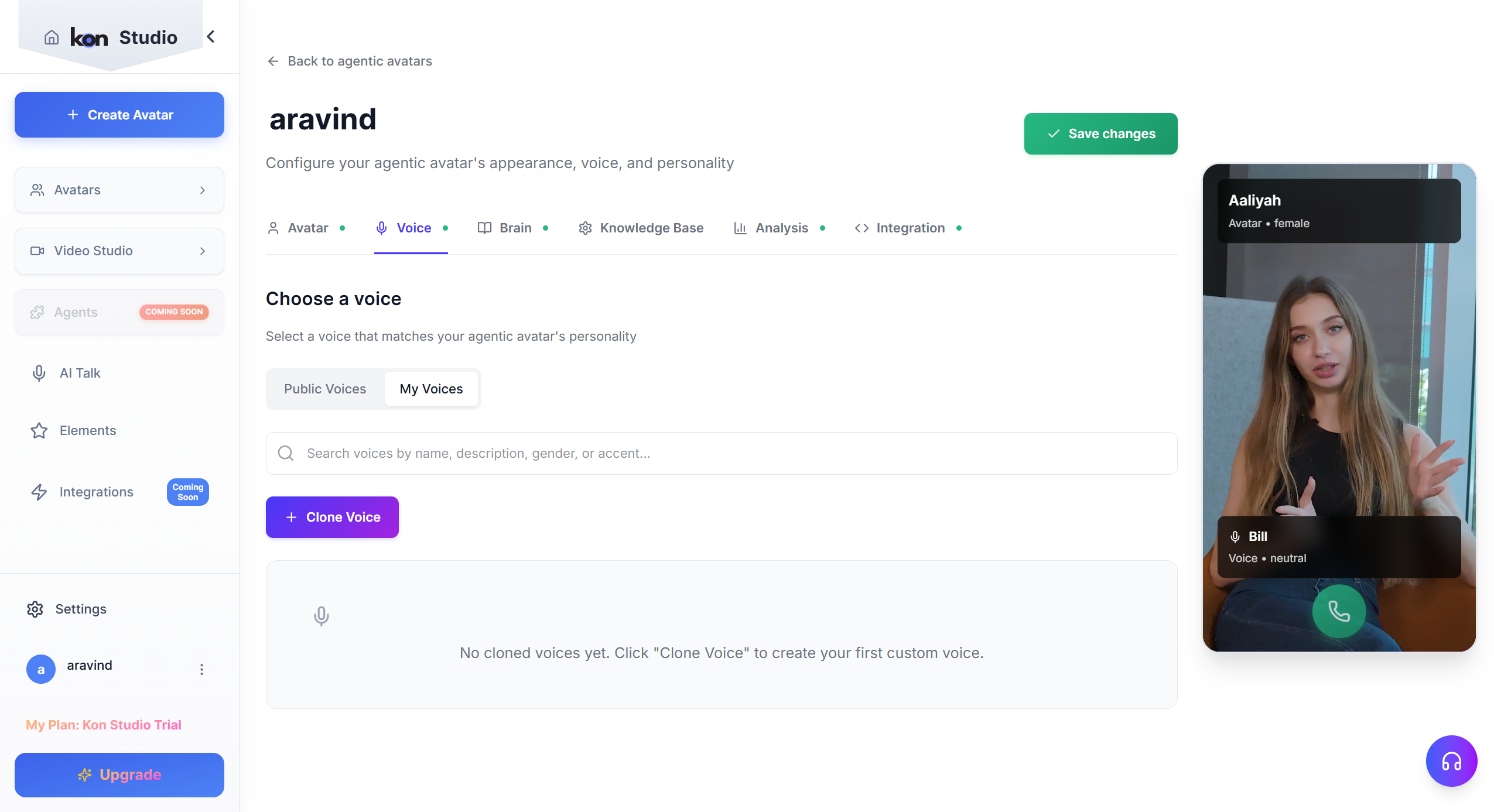
- Click Clone Voice and upload a clear 30+ second audio sample.
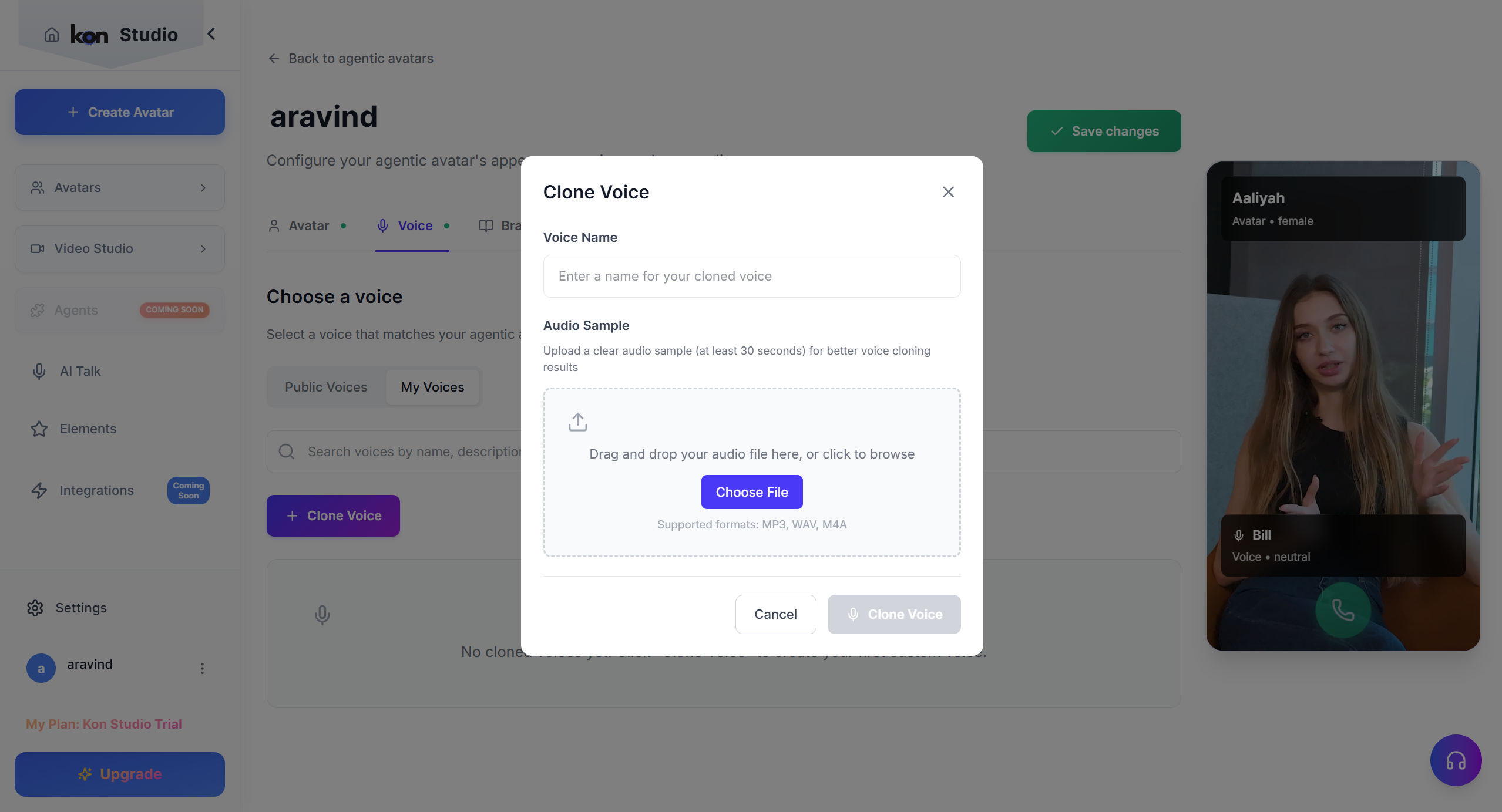
- Name the voice and create it to add it to your library.
- Select your cloned voice from the list and assign it to the avatar.
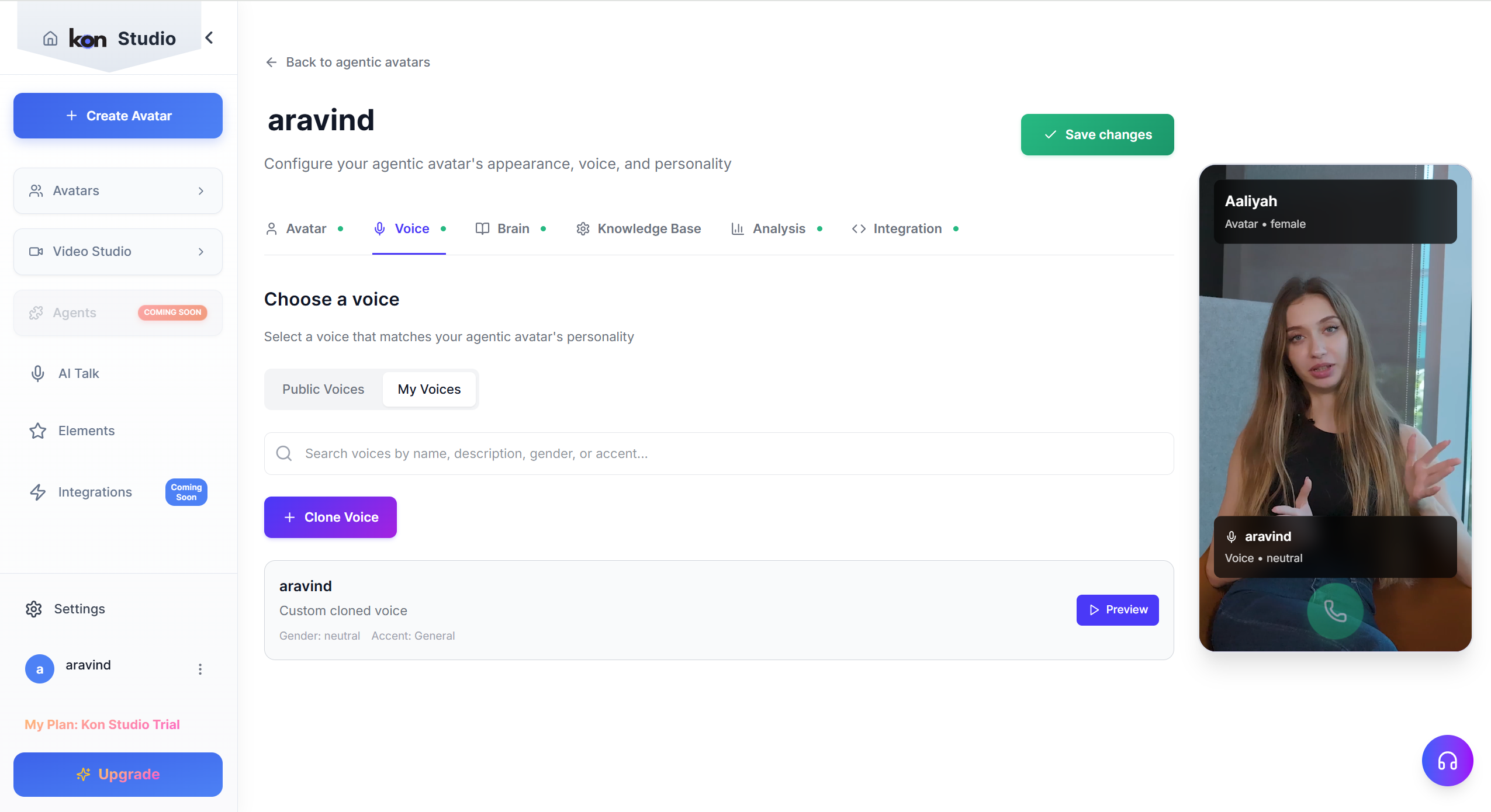
- Preview the avatar speaking with the cloned voice and fine-tune if needed.
- Preview and save your avatar to make it immediately available within your workspace.
This feature ensures your organization's virtual presence remains authentic, consistent, and visually aligned with your brand personality.